
模板案例
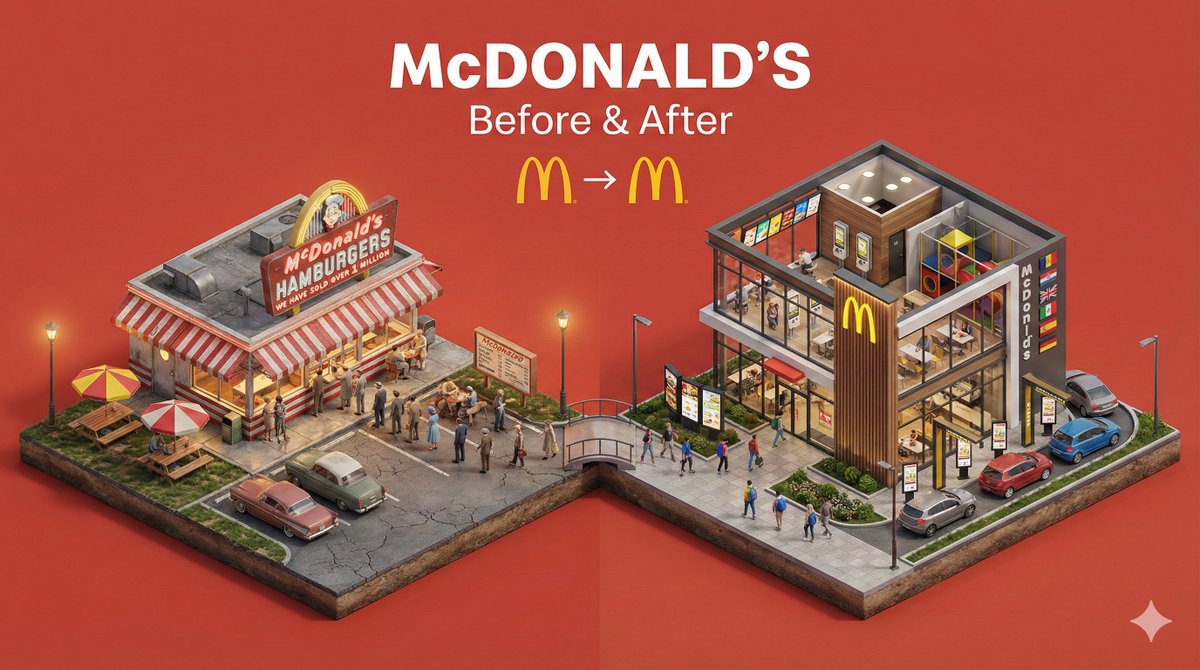
微缩前后转变立体模型
提示词
中文提示词
创建一个清晰、45°俯视角等距微缩3D分割立体模型,展示[主题]在[转变]前后的对比。使用柔和精致纹理、真实PBR材质,两侧保持均衡光照。设计一个整体抬高的底座,分为两个环境,细节形成鲜明对比。加入微小风格化人物以强调尺度与变化(无面部细节)。使用干净纯色[背景颜色]背景。在顶部中央显示[主题名称]的大号粗体文字,其下方显示中等字体的“前后对比”,再下方放置一个极简转变图标。所有文字必须自动匹配背景对比度(白色或黑色)。
英文提示词
Create a clear, 45° top-down isometric miniature 3D split diorama showing [SUBJECT] before and after [TRANSFORMATION].

Use soft refined textures, realistic PBR materials, and balanced lighting across both sides.
Design a single raised base divided into two environments with contrasting details.

Include tiny stylized people to emphasize scale and change (no facial details).

Use a clean solid [BACKGROUND COLOR] background.

At the top-center, display [SUBJECT NAME] in large bold text, beneath it show ‘Before & After’ in medium text, and place a minimal transformation icon below.

All text must automatically match the background contrast (white or black).
×
微信扫码分享
打开微信,使用“扫一扫”即可分享